See what your citation metrics do not tell you.
Understand your h-index frontier, see which publications are gaining citations, explore your publication list, and keep a local history of your Google Scholar profile.
Concept visualization based on Schoolar+ features.
Google Scholar provides the data. Schoolar+ adds the context.
Understand the current profile immediately, then build local history only for My Profile or researchers you explicitly choose to track.
Citation Pulse
Compare observed snapshots to see changes in metrics and individual publications over time.
Understand your h-index
Inspect the current boundary, explore higher targets, and see the publications shaping the frontier.
Explore publications
Search and filter loaded publications by year, citations, and citation change where history is available.
Keep your history
Manage local snapshots, tracked profiles, and portable Schoolar+ backups from the Dashboard.
Google Scholar gives you H42. Schoolar+ shows you what is happening around H43.
The frontier view identifies the citation-ranked publications around the h-index boundary and calculates the minimum citation deficit for a selected target.
Schoolar+ continues to treat Google Scholar's displayed h-index as the authoritative current value. Frontier calculations explain thresholds; they do not predict future citations.
See what changed between observations.
Citation Pulse brings profile-level and publication-level movement together, while unchanged values stay visually quiet.
Schoolar+ builds this history for My Profile and profiles you explicitly track. Ordinary public profiles are not silently added to your history.
Comparisons use only observations Schoolar+ actually captured. It does not reconstruct citation history for periods before those observations existed.
Analysis where you already work.
Schoolar+ stays alongside Google Scholar: richer analysis in the main panel, a compact H-index Distribution in the Scholar sidebar, and publication tools directly above the publication list.
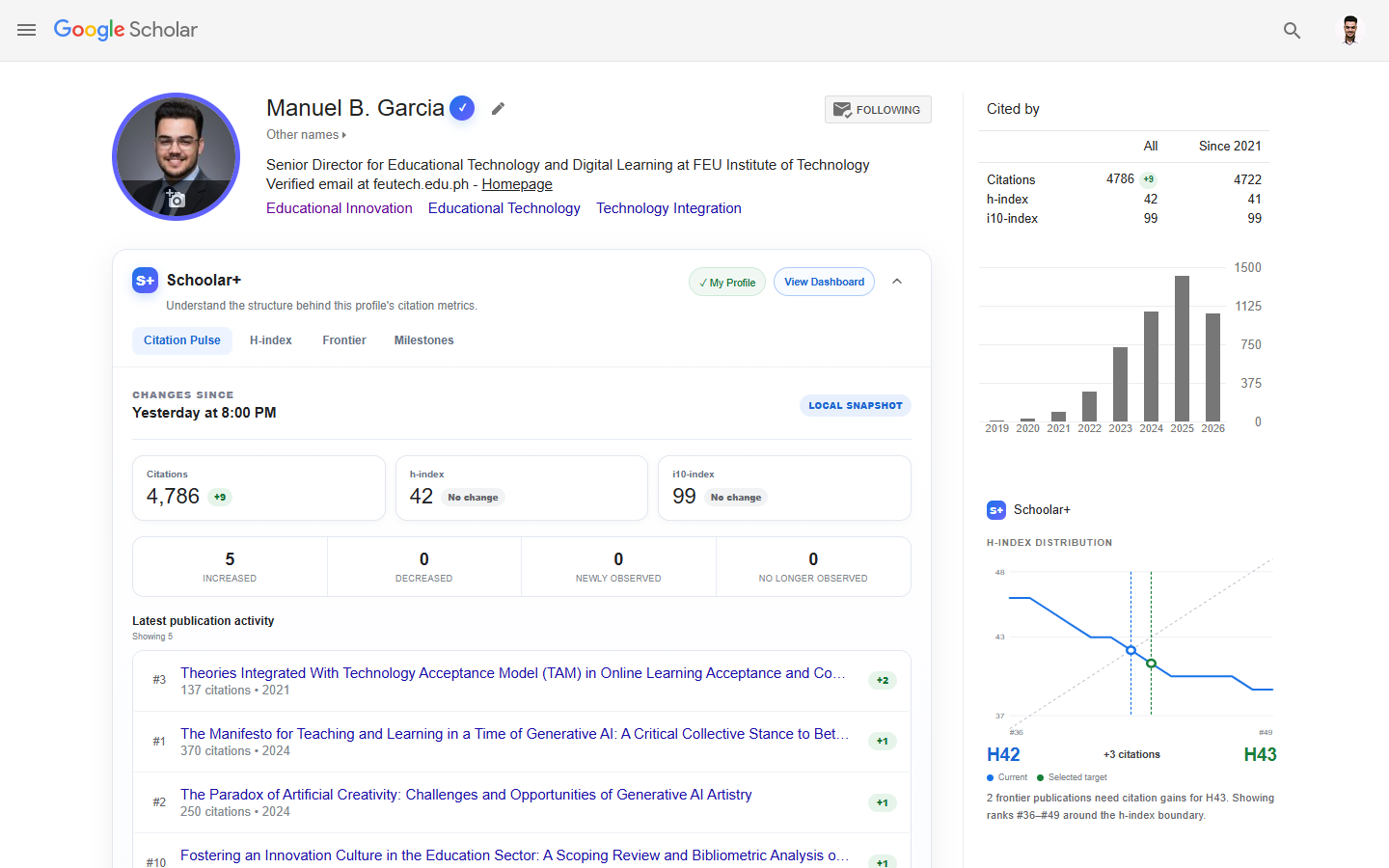
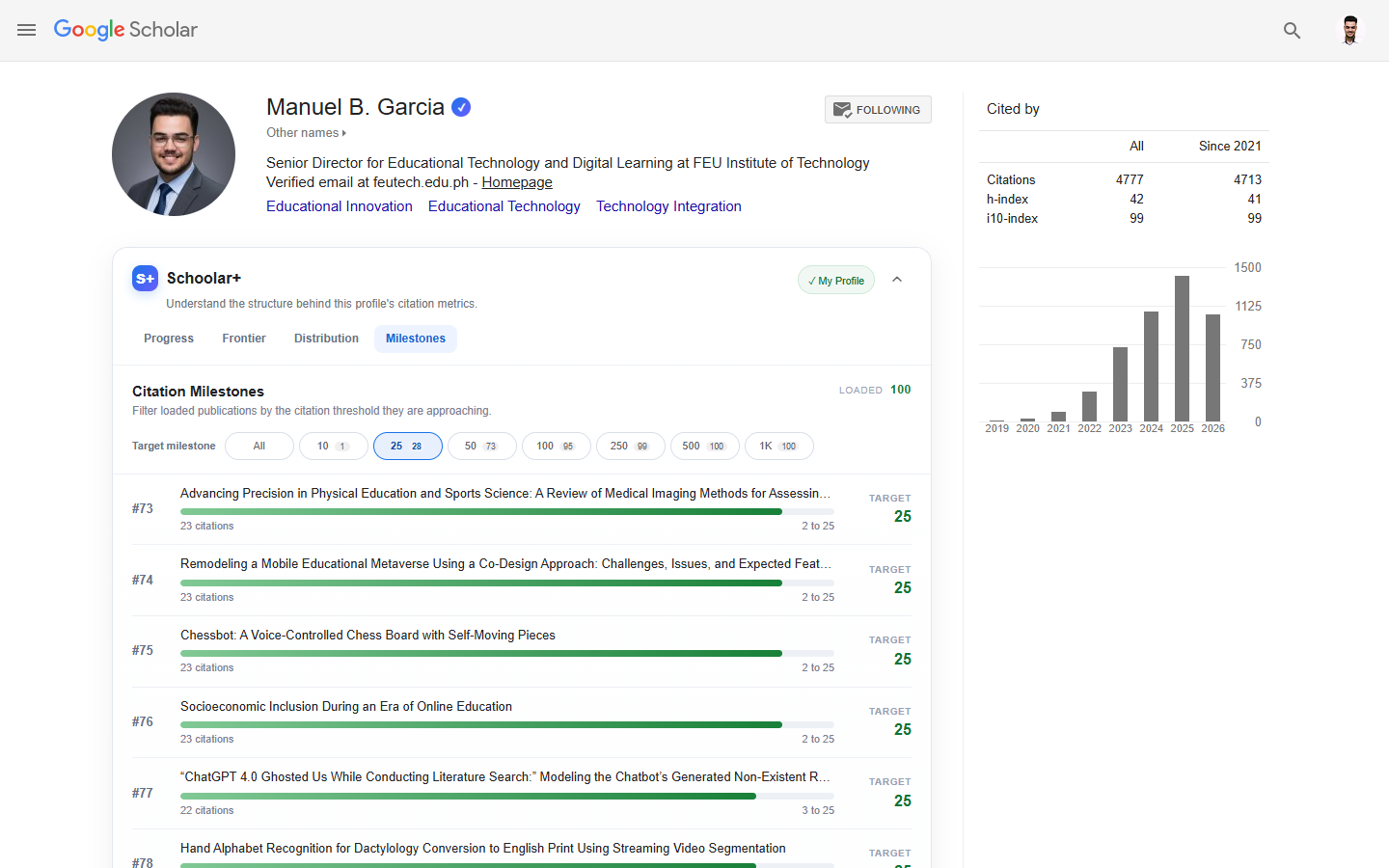
My Profile and tracked researchers get Citation Pulse, H-index analysis, Frontier, and Milestones.
H-index Distribution stays available independently of the main panel and can be toggled from Schoolar+ settings.
Explore current-state insights without creating history unless you explicitly choose to track the researcher.
A profile today is useful. A profile over time tells you what changed.
Schoolar+ stores observations locally so you can compare snapshots without creating a separate cloud account.
Snapshot history records observations, not a reconstructed continuous history. You can manage, compare, export, and restore that history from the Dashboard.
The complete workspace behind the Scholar integration.
The popup stays quick. The Dashboard brings together current metrics, Citation Pulse, H-index analysis, snapshots, tracked profiles, synchronized settings, backups, and data controls.
Review Citation Pulse, select H-index targets, inspect the frontier, and see H-index Distribution in a larger workspace.
Compare stored observations, manage snapshots, and preview how Citation Pulse looks before real changes arrive.
Manage tracked profiles and settings, export or restore a backup, and review privacy and local-storage controls.
Your research history does not need another cloud account.
Schoolar+ keeps settings and historical observations in Chrome so its comparisons can happen locally.
Read the Privacy Policy →Install it. Choose what matters. Keep using Scholar.
There is no separate profile import workflow and no Schoolar+ account to maintain.
Full personal experience with Citation Pulse, automatic local observations, H-index targets, and Dashboard analysis.
Build local history for a researcher you explicitly choose to follow and compare changes when you revisit.
See useful current-state analysis without silently creating longitudinal history for every profile you visit.

Created by Manuel B. Garcia.
Schoolar+ grew from a simple question: Google Scholar reports an h-index, but what exactly is happening at the boundary?
I built Schoolar+ as a researcher-oriented browser extension for inspecting citation metrics with more context. It focuses on the information already visible on Google Scholar profiles, while keeping historical observations and preferences local to the browser.
Schoolar+ is independent software and is not affiliated with, sponsored by, or endorsed by Google or Google Scholar.
Your Google Scholar profile already has the data. Schoolar+ helps you see more in it.
H-index frontier analysis, Citation Pulse, publication exploration, and local history in one Chrome extension.
Add Schoolar+ to Chrome